DIGITAL AUDIO WORKSTATION · IN TESTING
Record it. Mix it. Finish it.
The pro studio in one calm window, with one-touch mastering built in.
Windows planned
its own safe sandbox
streaming, CD, church live
WHAT IT IS
The pro studio, without the clutter.
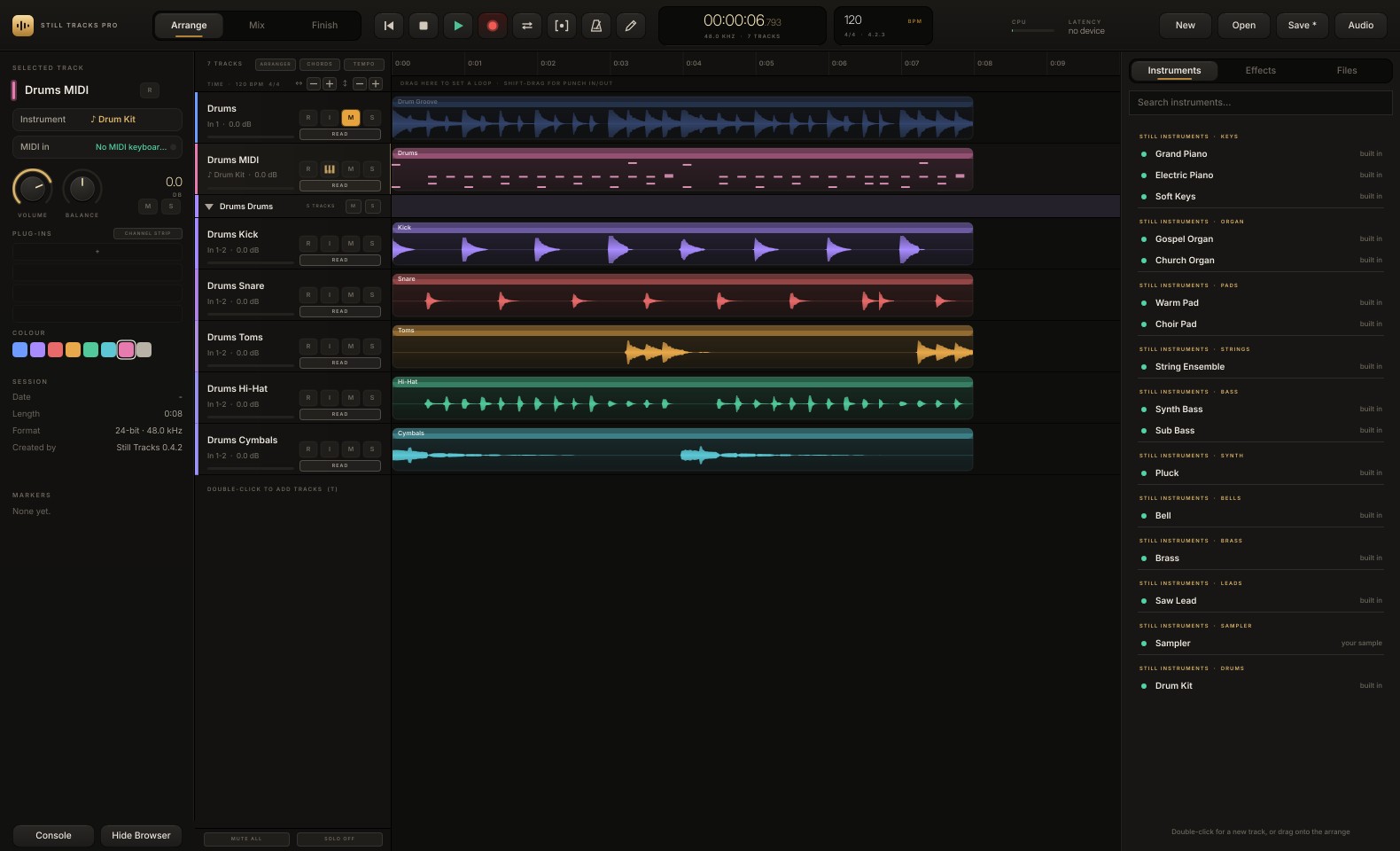
Still Tracks Pro is a full digital audio workstation for producers, engineers and artists. It pairs an engine built for professional sound quality with a single-window layout that keeps the tools you need in reach, and ends every song with Finish: mastering that listens to your mix and gets it ready for where it is going.
01 · ARRANGE
Record, edit, create
Audio and MIDI tracks, loop and punch recording, comping, tempo and time-signature changes, a piano roll, built-in instruments and AI studio tools.
02 · MIX
A console that feels right
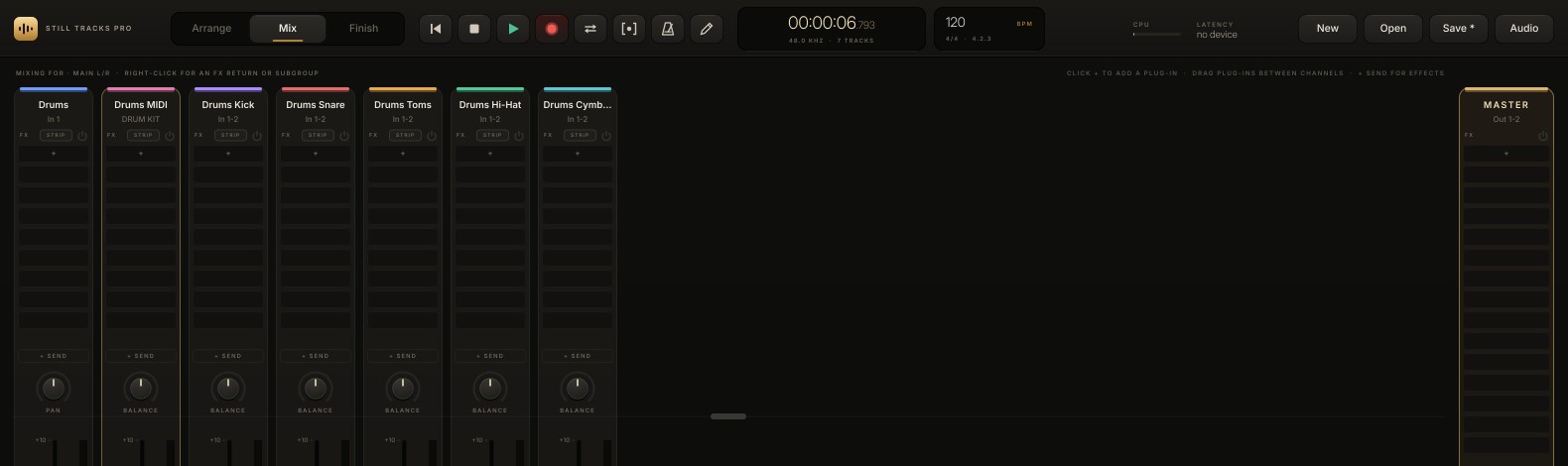
Faders, sends, FX returns, subgroups, VCAs, side-chains, automation and the Still Live Suite channel strip on every track. Your own plug-ins too.
03 · FINISH
Master in one touch
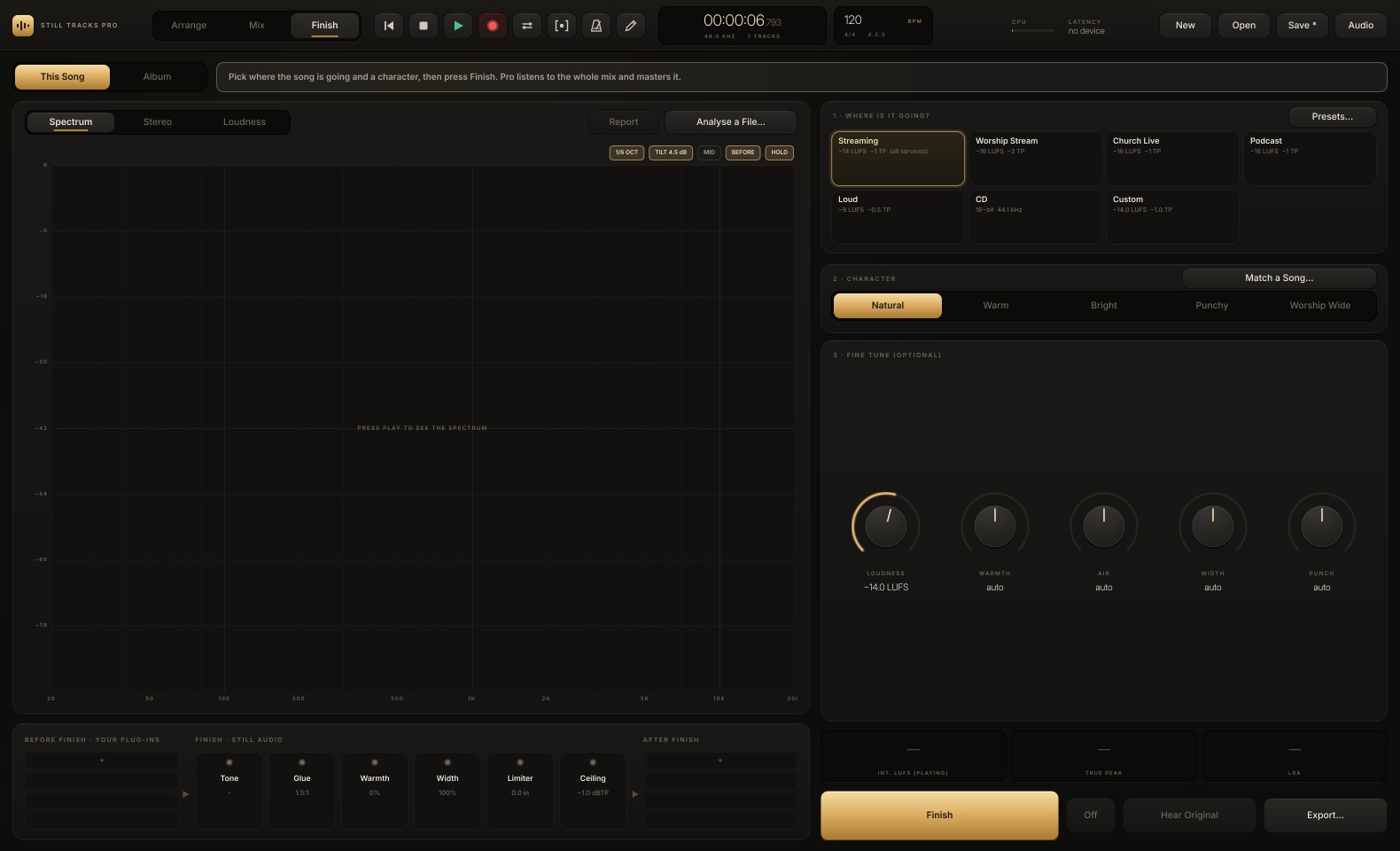
Pick where the song is going and a character. Finish sets loudness, tone, width and a safe ceiling, and exports every version you need.
WHO IT IS FOR
Made for people who finish songs.
- Producers and beatmakers who want speed without giving up quality
- Recording and mix engineers moving from another DAW, with the keyboard shortcuts they already know built in
- Independent artists who need a finished, release-ready master
- Church and worship teams producing music, streams and live recordings
WHAT MAKES IT DIFFERENT
Four things you'll feel on day one.
- Finish built in: mastering targets for Spotify, YouTube, Apple Music and more, with matching to a reference song
- AI studio tools: split a song into stems, split the drums, turn audio into MIDI
- Vocal tools: pitch editing, live tune, vocal alignment, harmonies, rider and breath cleanup
- Plug-in safety: a crashing plug-in never takes your session down
FEATURES
Everything a session needs.
Recording
- Low-latency recording of mono and stereo tracks, lined up to the sample
- Loop recording (a take per pass) and punch in/out
- Take lanes and comping: build the best take from many
- Count-in, click, bars and beats, tempo and time-signature changes
- Autosave every two minutes, and recovery after a crash
Editing & arranging
- Arranger track and scratch pads to try other versions of a song
- Folders, markers, crossfades, clip gain and fades
- Elastic audio: quantize audio, follow the song tempo, restore timing
- Detect the tempo of a beat; tape stop and tape start effects
- Bounce a range to a new track; edit while the song plays
Mixing
- Console with sends, FX returns, subgroups and VCAs
- Still Live Suite channel strip on every track
- Side-chains into the strip and into plug-ins
- Automation of volume, pan, mute, sends and plug-in parameters
- Multiple outputs from instruments (each drum on its own channel)
Plug-ins
- AU and VST3 effects and instruments
- Each plug-in runs in its own sandbox: if it crashes, the session keeps going and the plug-in restarts
- Big sample libraries and virtual instruments supported
- Plug-ins follow the song's tempo and position
- Safe Mode after an unexpected close
Vocals
- Note editor: move, flatten and shape sung notes with the voice's character kept
- Live Tune on the channel strip
- Vocal Align: line a double up with the lead
- Harmony or Double, Choir or Crowd
- Vocal Rider and Breath Cleanup
Instruments & MIDI
- Built-in instruments: pianos, organs, pads, strings, bass, synths, bells, brass, leads, a sampler and a Drum Kit
- Piano roll, drum editor and controller lanes
- Chord track: chords from MIDI or from audio
- MIDI keyboards, MIDI recording, MIDI file import
- Keyboard shortcuts you already know from the major DAWs
AI STUDIO TOOLS
Pull a song apart. Turn sound into notes.
Split into Stems
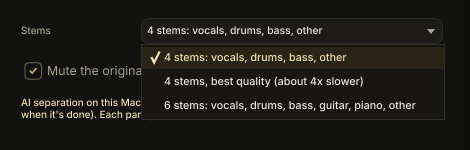
Any song, beat or live mix into vocals, drums, bass and other, or six stems with guitar and piano. A best-quality mode gives cleaner results. Every stem lands on its own track in a folder.
Split the Drums
A drum loop or drum stem into kick, snare, toms, hi-hat and cymbals in seconds, with Still Audio's own splitter. The parts add back up to the original exactly.
Convert to MIDI
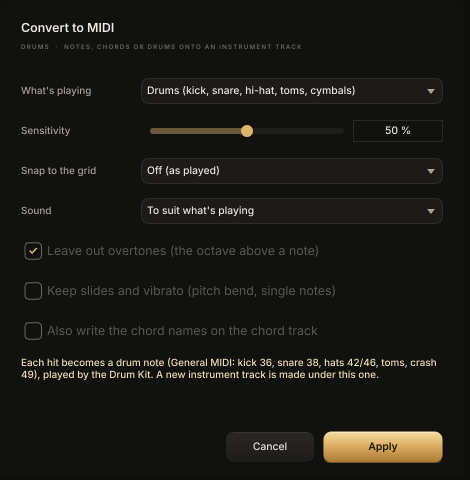
A melody, chords or drums become MIDI notes on a new instrument track. Snap to the song's grid and pick the sound. Drum hits come out as standard drum notes, ready for any drum plug-in.
Keep working while it runs
The AI tools work in the background with a progress bar, time left and cancel, so the session never stops.
FINISH · ONE-TOUCH MASTERING
Pick where it's going. Press Finish.
Pro listens to the whole mix and masters it: loudness, tone, glue, warmth, width and a safe ceiling, set for where the song is headed.
PLUG-IN SAFETY
A crashing plug-in never takes your session down.
Every AU and VST3 plug-in runs in its own sandbox. If one crashes, the session keeps playing and the plug-in restarts. After an unexpected close, Safe Mode opens the song so you can find the cause.
STILL TRACKS + STILL TRACKS PRO
Record live. Finish in Pro.
Still Tracks stays light and quick for recording every channel of a service or show. Open the same session in Still Tracks Pro to edit, mix and finish it.
ABOUT
Still Audio by Sokay Audio.
Built by working engineers and musicians: the people behind the Still Live Suite, Still Rack and Still Tracks. Made for real sessions, real services and real releases.
TESTER PROGRAM
Be one of the first to make a record with it.
Still Tracks Pro is in testing. Testers get early builds on their Mac and help shape what ships. Tell us a little about your setup.
In testing · version 0.17 · Mac only for now (macOS 10.15 or later, Apple Silicon and Intel) · Windows planned · launch date and price not set yet