Still Rack · Live plugin host
Your plugins, live. Without the fear.
The live plugin host that sets up in minutes, mixes like a console, and stays still when everything else is moving. Your studio plugins on stage, for front of house and monitors, without the fear.
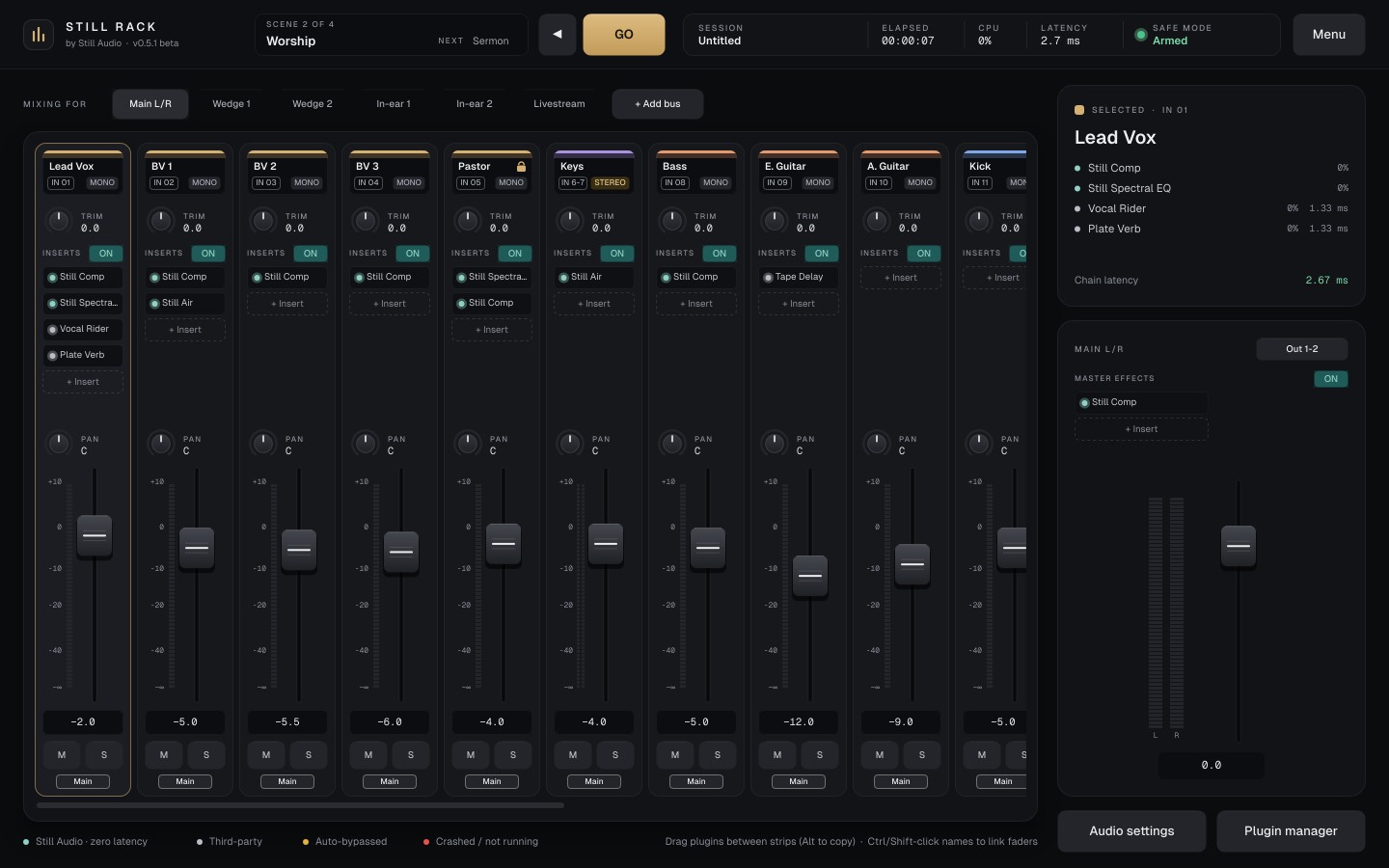
Quick setup
From install to sound in about two minutes.
Built so a volunteer can be mixing in minutes, and an engineer can run a whole service from one screen.
Pick your interface
48 kHz and a 64 or 128-sample buffer is a good start. Every input and output is switched on for you.
Name your channels
Start from a template and edit the list as plain text: one channel per line, (stereo) for pairs.
Choose your mixes
Main L/R, wedges, in-ears and a livestream mix. Outputs are planned before anything is built.
Insert and mix
Scan your plugins once, click + Insert on any channel, and mix.
What it does
Designed so the show goes on.
No hidden pages during a show. What you need to mix is always in front of you.
Set up in about two minutes
Quick Setup picks your interface, names your channels from a template (Worship band, Service and speech, Small band or Blank) and builds your monitor mixes.
Mix like a console
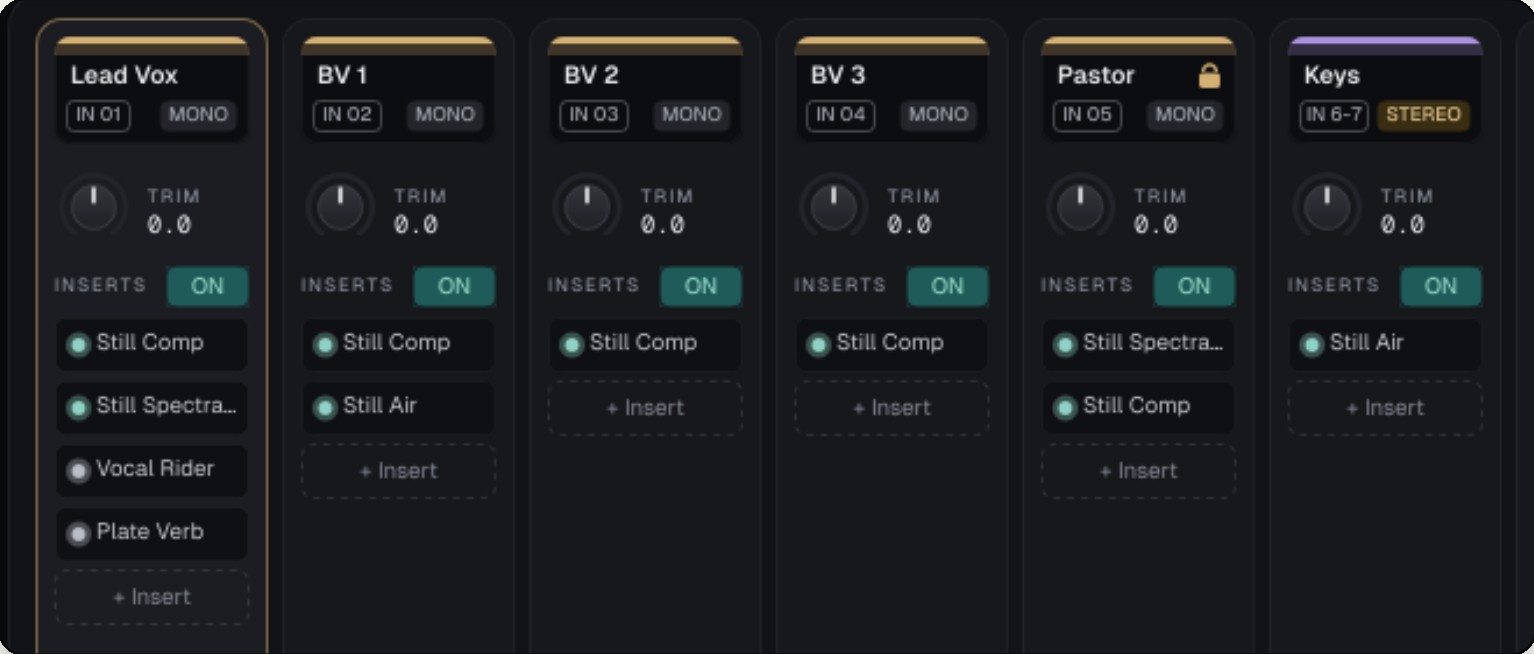
Channel strips with trim, six inserts, pan, fader, mute and solo. Click IN to pick any input, MONO to make it stereo, OUT to send it anywhere.
Monitor mixes on faders
Main L/R plus up to 8 mixes: wedges, stereo in-ears and a livestream mix. Pick a mix in Mixing for and every fader shows its send.
Zero-latency Still Audio inside
Still Audio plugins run inside the engine at 0 ms, with no sandbox. Total latency is always shown, and plugins over 5 ms get an amber badge.
Your plugins, in a sandbox
AU and VST3 on Mac, VST3 on Windows. Each third-party plugin runs in its own process: if one crashes, only it is taken out and the channel keeps playing.
Auto-bypass and Safe Mode
A plugin that sends invalid audio or overloads the CPU is bypassed and marked amber. After a crash, your session returns with third-party plugins held until you're ready.
Scenes in running order
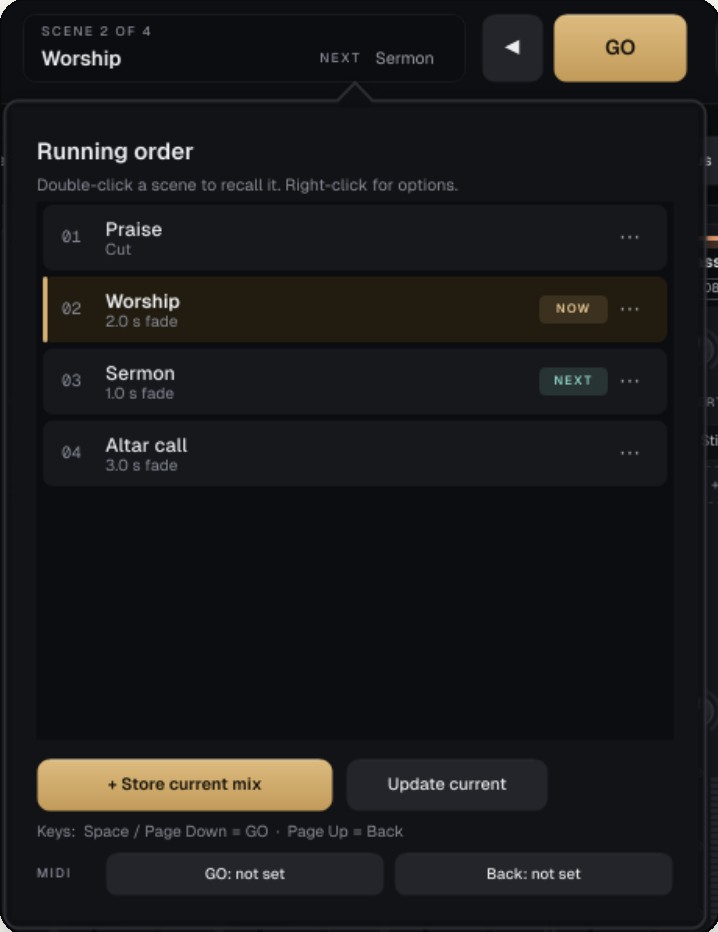
Store Praise, Worship, Sermon and Altar call, each with its own fade, then press GO, Space, a page-turner pedal or a MIDI footswitch.
Recall safe
Mark a channel recall safe, the pastor's mic for example, and no scene will ever touch it. A small padlock shows on the strip.
Coming next
ASIO on Windows, signed installers, a phone and tablet remote for GO and scenes, and a full-screen channel view.
WATCH IT RUN
A plugin fails. The service doesn't.
An animated example: the worship set moves on with GO while a third-party plugin stops responding, and the Lead Vox channel keeps playing.
Audio playing · all plugins running
RUNNING ORDER
- 01Praisecut
- 02Worship2.0 s fade
- 03Sermon1.0 s fade
- 04Altar call3.0 s fade
Space, Page Down, a page-turner pedal or a MIDI footswitch.
Scenes and service order
Run the whole service from one button.
A scene keeps faders, pans, mutes, sends, which plugins are on, and their settings. Give each its own fade, from a cut to 10 seconds: levels glide, and nothing drops out early.
GO with Space or Page Down, back with Page Up. USB page-turner pedals work out of the box, and MIDI footswitches can be learned.
Specifications
What it runs, and where.
| Channels | Up to 32 inputs, mono or one-click stereo; any input on any channel |
|---|---|
| Mixes | Main L/R plus up to 8 aux mixes: wedges, in-ears, livestream |
| Plugins | 6 inserts per channel and per mix, plus master effects · AU and VST3 on Mac, VST3 on Windows · Still Audio plugins at 0 ms |
| Outputs | Up to 32, numbered as on your interface; direct outs per channel, pre- or post-fader |
| Show control | Scenes, running order and GO: keyboard, page-turner pedal or MIDI note, CC or program change |
| Safety | Plugin sandbox, auto-bypass, crash recovery with Safe Mode, autosave |
| macOS | macOS 11 or later · Apple Silicon and Intel · Core Audio |
| Windows | Windows 10 and 11, 64-bit · Windows Audio (WASAPI) · ASIO coming |
Pricing
Pro live hosting, priced to get you started.
PUBLIC BETA · V0.5
Still Rack
$89
One-time licence: 32 channels, 8 mixes, scenes with GO, the plugin sandbox and Safe Mode. Yours to keep.
Join the betaBEST VALUE
Still Rack + Complete Live Suite
$399
Still Rack with all 31 zero-latency Still Audio plugins inside the engine. Worth $438 bought separately.
Get the bundleSUBSCRIBE
Live Suite subscription
$9.99 / month
Every Still Audio plugin and new release through Still Connect. Plugins only: Still Rack is bought separately.
Compare optionsPart of Still Audio
Mix with Still Rack. Record with Still Tracks.
Still Rack hosts the 31 zero-latency Still Audio plugins on every channel, and Still Tracks records every channel of the service. One look, one account, one place for updates.