MIXING · GAIN-SHARING AUTOMIXER · 16
Still Automix
The mic being spoken into stays up; the others drop. Total gain stays constant.
Also in the Speech & Pulpit bundle
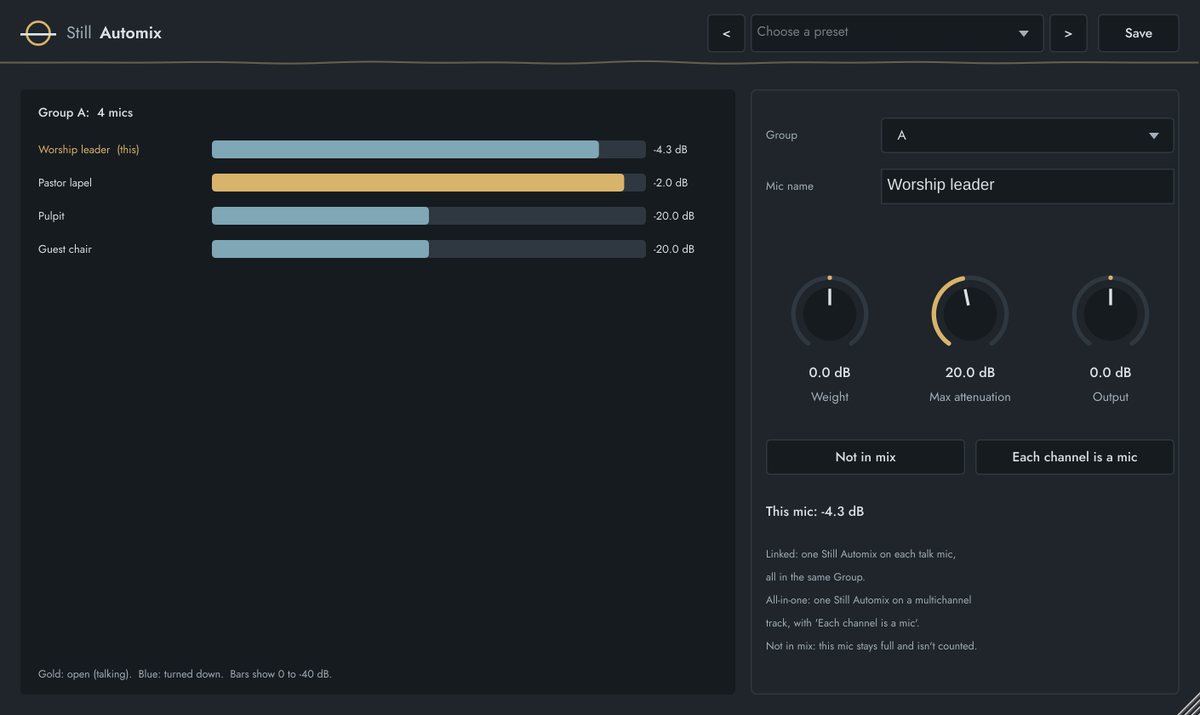
What it does
Still Automix shares one total gain between all the mics in a group, in proportion to how loud each is right now. The talking mic gets nearly full gain, the others drop, and the overall level stays the same however many mics are open — so room noise, comb filtering and feedback risk go down.
Use one instance per mic in the same Group, or one instance on a multichannel track for up to 8 mics.
Key features
- Linked mode (one per mic, Groups A–D) or all-in-one (up to 8 channels)
- Weight to favour a mic, like a chairperson; Max attenuation floor
- Not in mix: a mic stays full and isn't counted
- Mic names and a live view of the whole group
Quick start
- Insert Still Automix on each talk mic channel, or one on a multichannel track.
- Put them all in the same Group and give each a name.
- Talk into one mic: it stays near 0 dB while the others drop.
- Give the chairperson +3 to +6 dB of Weight if they should win ties.
Controls
| Control | Range | What it does |
|---|---|---|
| Group | A / B / C / D | Mics in the same group share gain. |
| Mic name | text | Shown in every instance's group view. |
| Weight | −12 to +12 dB | Favour or soften this mic. |
| Max attenuation | 3 to 40 dB | A closed mic never drops further than this. |
| Not in mix | on / off | Full gain, not counted (e.g. a music mic). |
| Each channel is a mic | on / off | All-in-one mode on a multichannel track. |
| Output | −12 to +12 dB | Level after the automixer. |
FACTORY PRESETS
Panel / talk mics · Pulpit + lapel · Choir mics gentle · Chairperson (priority) · Wedding / ceremony
GOOD TO KNOW
Linked mode needs the host to run plugins in one process — normal in Studio One, Reaper, Logic and Gig Performer. With real speech, a new talker's mic opens within a few milliseconds of the first word.