DYNAMICS · DUCKER (SIDECHAIN) · 12
Still Duck
Music, playback or the band dips automatically while the pastor or host talks.
Also in the Livestream & Broadcast bundle
What it does
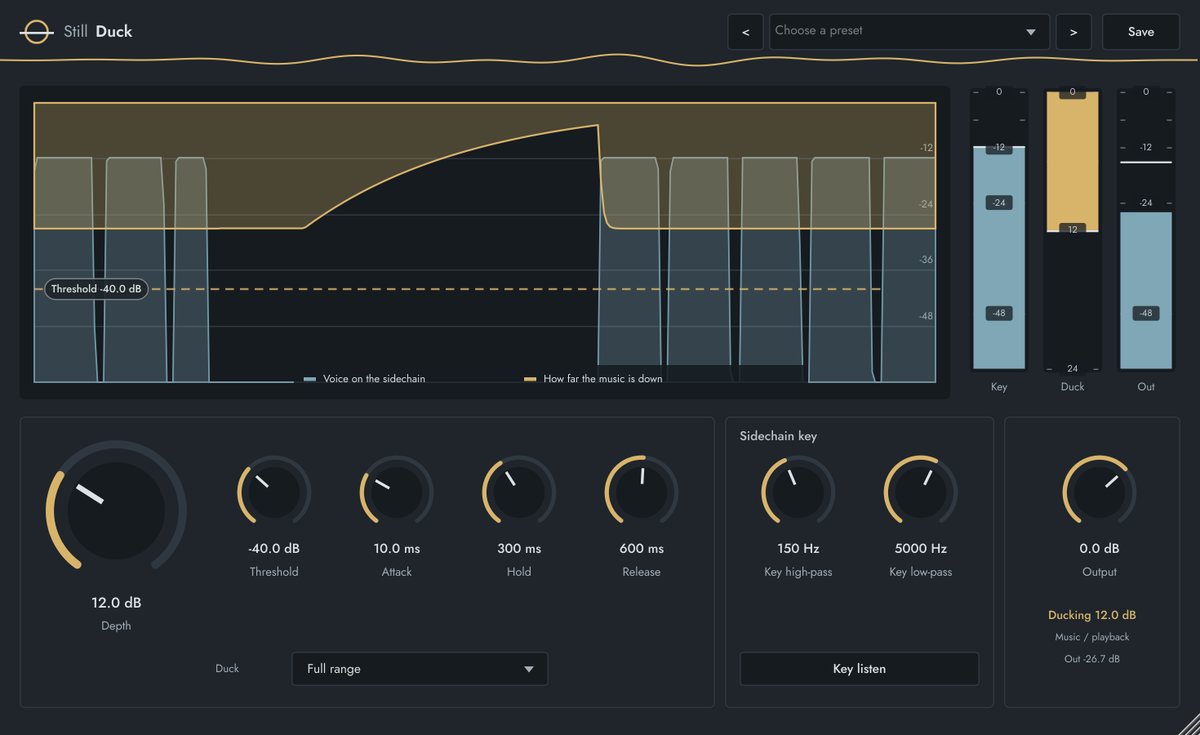
Still Duck turns a music, playback or band bus down by a set amount while the voice on its sidechain is talking, holds through short pauses between words, then brings it back smoothly.
Key filters make sure only the voice triggers it. In Voice band mode only 300 Hz–4 kHz of the music dips, so the low end and sparkle stay while the words get room. The key never reaches the output.
Key features
- Depth up to 40 dB, with a threshold line you drag on the display
- Attack, Hold (rides over pauses between words) and Release
- Key high-pass and low-pass, plus Key listen to set them
- Duck Full range or Voice band only (300 Hz–4 kHz)
- Key, Duck and Out meters
Quick start
- Insert it on the music, playback or band bus.
- Route the pastor's or host's mic to its sidechain input.
- Drag the Threshold line just under the voice level; set Depth (6–12 dB).
- Set Hold so it stays down between words, and Release for a smooth return.
Controls
| Control | Range | What it does |
|---|---|---|
| Depth | 0 to 40 dB | How far the music dips while the voice talks. |
| Threshold | −60 to 0 dB | Voice level that starts the duck. |
| Attack | 1 to 200 ms | How fast the music goes down. |
| Hold | 0 to 2000 ms | Stays down through pauses between words. |
| Release | 50 to 3000 ms | How smoothly the music comes back. |
| Key high-pass / low-pass | 40 Hz–1 kHz / 1–16 kHz | Sidechain filters, so bleed doesn't trigger it. |
| Duck | Full range / Voice band | Dip everything, or only 300 Hz–4 kHz. |
| Key listen / Output | on / off, −24 to +12 dB | Hear the filtered key; output level. |
FACTORY PRESETS
Pastor over music · MC over walk-in music · Announcements over band · Voice band only · Video playback under host · Fast talkback duck
GOOD TO KNOW
With nothing on the sidechain, the music passes untouched. Turn Key listen off before the show.